
Join the Community! Connect with security researchers, AI enthusiasts, and fellow ethical hackers. Get support, share insights, and stay updated with the latest PentAGI developments.


- Overview
- Features
- Architecture
- Quick Start
- How to Use PentAGI After Login
- API Access
- Advanced Setup
- Development
- Testing LLM Agents
- Embedding Configuration and Testing
- Function Testing with ftester
- Building
- Credits
- License
PentAGI is an open-source, self-hosted multi-agent system for autonomous penetration testing. You describe a target and a goal in plain language; a team of specialized AI agents plans the work, runs 20+ professional tools such as nmap, Metasploit and sqlmap inside an isolated Docker sandbox, remembers what it learned and hands you a report.
- Who it is for. Security engineers, penetration testers, researchers and red teams who want an autonomous assistant on their own infrastructure, for authorized testing only.
- What sets it apart. It runs on your own servers with the model of your choice: 10+ cloud LLM providers, your own OpenAI-compatible gateway, or local models through Ollama or vLLM. Results and successful approaches are kept in PostgreSQL with pgvector for later flows, an optional Neo4j knowledge graph tracks hosts, services and findings, execution monitoring and task planning help smaller open models, and REST and GraphQL APIs automate it. PentAGI Enterprise adds agent profiles, plugins and MCP servers, customer-ready reports and a real-time attack-chain view.
- How to install. An interactive installer for Linux, macOS and Windows sets PentAGI up with Docker Compose — see Quick Start.
PentAGI is developed by VXControl, a security engineering company based in Dubai.
You can watch the video PentAGI overview:

- Secure & Isolated. All operations are performed in a sandboxed Docker environment with complete isolation.
- Fully Autonomous. AI-powered agent that automatically determines and executes penetration testing steps with optional execution monitoring and intelligent task planning for enhanced reliability.
- Professional Pentesting Tools. Built-in suite of 20+ professional security tools including nmap, metasploit, sqlmap, and more.
- Smart Memory System. Long-term storage of research results and successful approaches for future use.
- Optional Knowledge Graph Integration. Graphiti-powered knowledge graph using Neo4j for semantic relationship tracking and advanced context understanding.
- Web Intelligence. Built-in browser via scraper for gathering latest information from web sources.
- External Search Systems. Integration with advanced search APIs including Tavily, Firecrawl, Traversaal, Perplexity, DuckDuckGo, Google Custom Search, Sploitus Search and SearXNG for comprehensive information gathering.
- Team of Specialists. Delegation system with specialized AI agents for research, development, and infrastructure tasks, enhanced with optional execution monitoring and intelligent task planning for optimal performance with smaller models.
- Comprehensive Monitoring. Detailed logging and integration with Grafana/Prometheus for real-time system observation.
- Detailed Reporting. Generation of thorough vulnerability reports with exploitation guides.
- Smart Container Management. Automatic Docker image selection based on specific task requirements.
- Modern Interface. Clean and intuitive web UI for system management and monitoring.
- Comprehensive APIs. Full-featured REST and GraphQL APIs with Bearer token authentication for automation and integration.
- Persistent Storage. All commands and outputs are stored in PostgreSQL with pgvector extension.
- Scalable Architecture. Microservices-based design supporting horizontal scaling.
- Self-Hosted Solution. Complete control over your deployment and data.
- Flexible Authentication. Support for 10+ LLM providers (OpenAI, Anthropic, Google AI/Gemini, AWS Bedrock, Ollama, DeepSeek, GLM, Kimi, Qwen, MiniMax, Mistral, xAI, Custom for any OpenAI-compatible endpoint including Azure OpenAI) plus aggregators (OpenRouter, DeepInfra, Atlas Cloud, OpenCode Go plan). For production local deployments, see our vLLM + Qwen3.5-27B-FP8 guide.
- API Token Authentication. Secure Bearer token system for programmatic access to REST and GraphQL APIs.
- Quick Deployment. Easy setup through Docker Compose with comprehensive environment configuration.
- PentAGI today is an autonomous and assistant-guided penetration testing platform, not a CALDERA-style Breach and Attack Simulation (BAS) or adversary emulation product with predefined campaigns or attack plans.
- BAS-like agent-authored attack scripts should be treated as conceptual or future work, not as a feature that is implemented today.
- The current flow report UI supports web view, copy to clipboard, Markdown download, and PDF download. JSON flow-report export is not documented as a supported output format today.
- Provider flexibility is available today through built-in providers and custom/OpenAI-compatible endpoints. See Custom LLM Provider Configuration and the vLLM + Qwen3.5-27B-FP8 guide.
flowchart TB
    classDef person fill:#08427B,stroke:#073B6F,color:#fff
    classDef system fill:#1168BD,stroke:#0B4884,color:#fff
    classDef external fill:#666666,stroke:#0B4884,color:#fff

    pentester["👤 Security Engineer
    (User of the system)"]

    pentagi["✨ PentAGI
    (Autonomous penetration testing system)"]

    target["🎯 target-system
    (System under test)"]
    llm["🧠 llm-provider
    (OpenAI/Anthropic/Ollama/Bedrock/Gemini/Custom)"]
    search["🔍 search-systems
    (Google/DuckDuckGo/Tavily/Firecrawl/Traversaal/Perplexity/Sploitus/SearXNG)"]
    langfuse["📊 langfuse-ui
    (LLM Observability Dashboard)"]
    grafana["📈 grafana
    (System Monitoring Dashboard)"]

    pentester --> |Uses HTTPS| pentagi
    pentester --> |Monitors AI HTTPS| langfuse
    pentester --> |Monitors System HTTPS| grafana
    pentagi --> |Tests Various protocols| target
    pentagi --> |Queries HTTPS| llm
    pentagi --> |Searches HTTPS| search
    pentagi --> |Reports HTTPS| langfuse
    pentagi --> |Reports HTTPS| grafana

    class pentester person
    class pentagi system
    class target,llm,search,langfuse,grafana external

    linkStyle default stroke:#ffffff,color:#ffffff
Container Architecture (click to expand)
graph TB
    subgraph Core Services
        UI[Frontend UI<br/>React + TypeScript]
        API[Backend API<br/>Go + GraphQL]
        DB[(Vector Store<br/>PostgreSQL + pgvector)]
        MQ[Task Queue<br/>Async Processing]
        Agent[AI Agents<br/>Multi-Agent System]
    end

    subgraph Knowledge Graph
        Graphiti[Graphiti<br/>Knowledge Graph API]
        Neo4j[(Neo4j<br/>Graph Database)]
    end

    subgraph Monitoring
        Grafana[Grafana<br/>Dashboards]
        VictoriaMetrics[VictoriaMetrics<br/>Time-series DB]
        Jaeger[Jaeger<br/>Distributed Tracing]
        Loki[Loki<br/>Log Aggregation]
        OTEL[OpenTelemetry<br/>Data Collection]
    end

    subgraph Analytics
        Langfuse[Langfuse<br/>LLM Analytics]
        ClickHouse[ClickHouse<br/>Analytics DB]
        Redis[Redis<br/>Cache + Rate Limiter]
        MinIO[MinIO<br/>S3 Storage]
    end

    subgraph Security Tools
        Scraper[Web Scraper<br/>Isolated Browser]
        PenTest[Security Tools<br/>20+ Pro Tools<br/>Sandboxed Execution]
    end

    UI --> |HTTP/WS| API
    API --> |SQL| DB
    API --> |Events| MQ
    MQ --> |Tasks| Agent
    Agent --> |Commands| PenTest
    Agent --> |Queries| DB
    Agent --> |Knowledge| Graphiti
    Graphiti --> |Graph| Neo4j

    API --> |Telemetry| OTEL
    OTEL --> |Metrics| VictoriaMetrics
    OTEL --> |Traces| Jaeger
    OTEL --> |Logs| Loki

    Grafana --> |Query| VictoriaMetrics
    Grafana --> |Query| Jaeger
    Grafana --> |Query| Loki

    API --> |Analytics| Langfuse
    Langfuse --> |Store| ClickHouse
    Langfuse --> |Cache| Redis
    Langfuse --> |Files| MinIO

    classDef core fill:#f9f,stroke:#333,stroke-width:2px,color:#000
    classDef knowledge fill:#ffa,stroke:#333,stroke-width:2px,color:#000
    classDef monitoring fill:#bbf,stroke:#333,stroke-width:2px,color:#000
    classDef analytics fill:#bfb,stroke:#333,stroke-width:2px,color:#000
    classDef tools fill:#fbb,stroke:#333,stroke-width:2px,color:#000

    class UI,API,DB,MQ,Agent core
    class Graphiti,Neo4j knowledge
    class Grafana,VictoriaMetrics,Jaeger,Loki,OTEL monitoring
    class Langfuse,ClickHouse,Redis,MinIO analytics
    class Scraper,PenTest tools
Entity Relationship (click to expand)
erDiagram
    Flow ||--o{ Task : contains
    Task ||--o{ SubTask : contains
    SubTask ||--o{ Action : contains
    Action ||--o{ Artifact : produces
    Action ||--o{ Memory : stores

    Flow {
        string id PK
        string name "Flow name"
        string description "Flow description"
        string status "active/completed/failed"
        json parameters "Flow parameters"
        timestamp created_at
        timestamp updated_at
    }

    Task {
        string id PK
        string flow_id FK
        string name "Task name"
        string description "Task description"
        string status "pending/running/done/failed"
        json result "Task results"
        timestamp created_at
        timestamp updated_at
    }

    SubTask {
        string id PK
        string task_id FK
        string name "Subtask name"
        string description "Subtask description"
        string status "queued/running/completed/failed"
        string agent_type "researcher/developer/executor"
        json context "Agent context"
        timestamp created_at
        timestamp updated_at
    }

    Action {
        string id PK
        string subtask_id FK
        string type "command/search/analyze/etc"
        string status "success/failure"
        json parameters "Action parameters"
        json result "Action results"
        timestamp created_at
    }

    Artifact {
        string id PK
        string action_id FK
        string type "file/report/log"
        string path "Storage path"
        json metadata "Additional info"
        timestamp created_at
    }

    Memory {
        string id PK
        string action_id FK
        string type "observation/conclusion"
        vector embedding "Vector representation"
        text content "Memory content"
        timestamp created_at
    }
Agent Interaction (click to expand)
sequenceDiagram
    participant O as Orchestrator
    participant R as Researcher
    participant D as Developer
    participant E as Executor
    participant VS as Vector Store
    participant KB as Knowledge Base

    Note over O,KB: Flow Initialization
    O->>VS: Query similar tasks
    VS-->>O: Return experiences
    O->>KB: Load relevant knowledge
    KB-->>O: Return context

    Note over O,R: Research Phase
    O->>R: Analyze target
    R->>VS: Search similar cases
    VS-->>R: Return patterns
    R->>KB: Query vulnerabilities
    KB-->>R: Return known issues
    R->>VS: Store findings
    R-->>O: Research results

    Note over O,D: Planning Phase
    O->>D: Plan attack
    D->>VS: Query exploits
    VS-->>D: Return techniques
    D->>KB: Load tools info
    KB-->>D: Return capabilities
    D-->>O: Attack plan

    Note over O,E: Execution Phase
    O->>E: Execute plan
    E->>KB: Load tool guides
    KB-->>E: Return procedures
    E->>VS: Store results
    E-->>O: Execution status
Memory System (click to expand)
graph TB
    subgraph "Long-term Memory"
        VS[(Vector Store<br/>Embeddings DB)]
        KB[Knowledge Base<br/>Domain Expertise]
        Tools[Tools Knowledge<br/>Usage Patterns]
    end

    subgraph "Working Memory"
        Context[Current Context<br/>Task State]
        Goals[Active Goals<br/>Objectives]
        State[System State<br/>Resources]
    end

    subgraph "Episodic Memory"
        Actions[Past Actions<br/>Commands History]
        Results[Action Results<br/>Outcomes]
        Patterns[Success Patterns<br/>Best Practices]
    end

    Context --> |Query| VS
    VS --> |Retrieve| Context

    Goals --> |Consult| KB
    KB --> |Guide| Goals

    State --> |Record| Actions
    Actions --> |Learn| Patterns
    Patterns --> |Store| VS

    Tools --> |Inform| State
    Results --> |Update| Tools

    VS --> |Enhance| KB
    KB --> |Index| VS

    classDef ltm fill:#f9f,stroke:#333,stroke-width:2px,color:#000
    classDef wm fill:#bbf,stroke:#333,stroke-width:2px,color:#000
    classDef em fill:#bfb,stroke:#333,stroke-width:2px,color:#000

    class VS,KB,Tools ltm
    class Context,Goals,State wm
    class Actions,Results,Patterns em
Chain Summarization (click to expand)
The chain summarization system manages conversation context growth by selectively summarizing older messages. This is critical for preventing token limits from being exceeded while maintaining conversation coherence.
flowchart TD
    A[Input Chain] --> B{Needs Summarization?}
    B -->|No| C[Return Original Chain]
    B -->|Yes| D[Convert to ChainAST]
    D --> E[Apply Section Summarization]
    E --> F[Process Oversized Pairs]
    F --> G[Manage Last Section Size]
    G --> H[Apply QA Summarization]
    H --> I[Rebuild Chain with Summaries]
    I --> J{Is New Chain Smaller?}
    J -->|Yes| K[Return Optimized Chain]
    J -->|No| C

    classDef process fill:#bbf,stroke:#333,stroke-width:2px,color:#000
    classDef decision fill:#bfb,stroke:#333,stroke-width:2px,color:#000
    classDef output fill:#fbb,stroke:#333,stroke-width:2px,color:#000

    class A,D,E,F,G,H,I process
    class B,J decision
    class C,K output
The algorithm operates on a structured representation of conversation chains (ChainAST) that preserves message types including tool calls and their responses. All summarization operations maintain critical conversation flow while reducing context size.
| Parameter | Environment Variable | Default | Description |
|---|---|---|---|
| Preserve Last | SUMMARIZER_PRESERVE_LAST |
true |
Whether to keep all messages in the last section intact |
| Use QA Pairs | SUMMARIZER_USE_QA |
true |
Whether to use QA pair summarization strategy |
| Summarize Human in QA | SUMMARIZER_SUM_MSG_HUMAN_IN_QA |
false |
Whether to summarize human messages in QA pairs |
| Last Section Size | SUMMARIZER_LAST_SEC_BYTES |
51200 |
Maximum byte size for last section (50KB) |
| Max Body Pair Size | SUMMARIZER_MAX_BP_BYTES |
16384 |
Maximum byte size for a single body pair (16KB) |
| Max QA Sections | SUMMARIZER_MAX_QA_SECTIONS |
10 |
Maximum QA pair sections to preserve |
| Max QA Size | SUMMARIZER_MAX_QA_BYTES |
65536 |
Maximum byte size for QA pair sections (64KB) |
| Keep QA Sections | SUMMARIZER_KEEP_QA_SECTIONS |
1 |
Number of recent QA sections to keep without summarization |
Assistant instances can use customized summarization settings to fine-tune context management behavior:
| Parameter | Environment Variable | Default | Description |
|---|---|---|---|
| Preserve Last | ASSISTANT_SUMMARIZER_PRESERVE_LAST |
true |
Whether to preserve all messages in the assistant's last section |
| Last Section Size | ASSISTANT_SUMMARIZER_LAST_SEC_BYTES |
76800 |
Maximum byte size for assistant's last section (75KB) |
| Max Body Pair Size | ASSISTANT_SUMMARIZER_MAX_BP_BYTES |
16384 |
Maximum byte size for a single body pair in assistant context (16KB) |
| Max QA Sections | ASSISTANT_SUMMARIZER_MAX_QA_SECTIONS |
7 |
Maximum QA sections to preserve in assistant context |
| Max QA Size | ASSISTANT_SUMMARIZER_MAX_QA_BYTES |
76800 |
Maximum byte size for assistant's QA sections (75KB) |
| Keep QA Sections | ASSISTANT_SUMMARIZER_KEEP_QA_SECTIONS |
3 |
Number of recent QA sections to preserve without summarization |
The assistant summarizer configuration provides more memory for context retention compared to the global settings, preserving more recent conversation history while still ensuring efficient token usage.
# Default values for global summarizer logic
SUMMARIZER_PRESERVE_LAST=true
SUMMARIZER_USE_QA=true
SUMMARIZER_SUM_MSG_HUMAN_IN_QA=false
SUMMARIZER_LAST_SEC_BYTES=51200
SUMMARIZER_MAX_BP_BYTES=16384
SUMMARIZER_MAX_QA_SECTIONS=10
SUMMARIZER_MAX_QA_BYTES=65536
SUMMARIZER_KEEP_QA_SECTIONS=1

# Default values for assistant summarizer logic
ASSISTANT_SUMMARIZER_PRESERVE_LAST=true
ASSISTANT_SUMMARIZER_LAST_SEC_BYTES=76800
ASSISTANT_SUMMARIZER_MAX_BP_BYTES=16384
ASSISTANT_SUMMARIZER_MAX_QA_SECTIONS=7
ASSISTANT_SUMMARIZER_MAX_QA_BYTES=76800
ASSISTANT_SUMMARIZER_KEEP_QA_SECTIONS=3
Advanced Agent Supervision (click to expand)
PentAGI includes sophisticated multi-layered agent supervision mechanisms to ensure efficient task execution, prevent infinite loops, and provide intelligent recovery from stuck states:
- Automatic Mentor Intervention: Adviser agent (mentor) is automatically invoked when execution patterns indicate potential issues
- Pattern Detection: Monitors identical tool calls (threshold: 5, configurable) and total tool calls (threshold: 10, configurable)
- Progress Analysis: Evaluates whether agent advances toward subtask objective, detects loops and inefficiencies
- Alternative Strategies: Recommends different approaches when current strategy fails
- Information Retrieval Guidance: Suggests searching for established solutions instead of reinventing
- Enhanced Response Format: Tool responses include both
<original_result>and<mentor_analysis>sections - Configurable: Enable via
EXECUTION_MONITOR_ENABLED(default: false), customize thresholds withEXECUTION_MONITOR_SAME_TOOL_LIMITandEXECUTION_MONITOR_TOTAL_TOOL_LIMIT
Best for: Smaller models (< 32B parameters), complex attack scenarios requiring continuous guidance, preventing agents from getting stuck on single approach
Performance Impact: 2-3x increase in execution time and token usage, but delivers 2x improvement in result quality based on testing with Qwen3.5-27B-FP8
- Automated Decomposition: Planner (adviser in planning mode) generates 3-7 specific, actionable steps before specialist agents begin work
- Context-Aware Plans: Analyzes full execution context via enricher agent to create informed plans
- Structured Assignment: Original request wrapped in
<task_assignment>structure with execution plan and instructions - Scope Management: Prevents scope creep by keeping agents focused on current subtask only
- Enriched Instructions: Plans highlight critical actions, potential pitfalls, and verification points
- Configurable: Enable via
AGENT_PLANNING_STEP_ENABLED(default: false)
Best for: Models < 32B parameters, complex penetration testing workflows, improving success rates on sophisticated tasks
Enhanced Adviser Configuration: Works exceptionally well when adviser agent uses stronger model or enhanced settings. Example: using same base model with maximum reasoning mode for adviser (see vllm-qwen3.5-27b-fp8.provider.yml) enables comprehensive task analysis and strategic planning from identical model architecture.
Performance Impact: Adds planning overhead but significantly improves completion rates and reduces redundant work
- Hard Limits: Prevent runaway executions regardless of supervision mode status
- Differentiated by Agent Type:
- General agents (Assistant, Primary Agent, Pentester, Coder, Installer):
MAX_GENERAL_AGENT_TOOL_CALLS(default: 100) - Limited agents (Searcher, Enricher, Memorist, Generator, Reporter, Adviser, Reflector, Planner):
MAX_LIMITED_AGENT_TOOL_CALLS(default: 20)
- General agents (Assistant, Primary Agent, Pentester, Coder, Installer):
- Graceful Termination: Reflector guides agents to proper completion when approaching limits
- Resource Protection: Ensures system stability and prevents resource exhaustion
- Automatic Correction: Invoked when LLM fails to generate tool calls after 3 attempts
- Strategic Guidance: Analyzes failures and guides agents toward proper tool usage or barrier tools (
done,ask) - Recovery Mechanism: Provides contextual guidance based on specific failure patterns
- Limit Enforcement: Coordinates graceful termination when tool call limits are reached
Must-Have for Models < 32B Parameters: Testing with Qwen3.5-27B-FP8 demonstrates that enabling both Execution Monitoring and Task Planning is essential for smaller open source models:
- Quality Improvement: 2x better results compared to baseline execution without supervision
- Loop Prevention: Significantly reduces infinite loops and redundant work
- Attack Diversity: Encourages exploration of multiple attack vectors instead of fixating on single approach
- Air-Gapped Deployments: Enables production-grade autonomous pentesting in closed network environments with local LLM inference
Trade-offs:
- Token consumption: 2-3x increase due to mentor/planner invocations
- Execution time: 2-3x longer due to analysis and planning steps
- Result quality: 2x improvement in completeness, accuracy, and attack coverage
- Model requirements: Works best when adviser uses enhanced configuration (higher reasoning parameters, stronger model variant, or different model)
Configuration Strategy: For optimal performance with smaller models, configure adviser agent with enhanced settings:
- Use same model with maximum reasoning mode (example:
vllm-qwen3.5-27b-fp8.provider.yml) - Or use stronger model for adviser while keeping base model for other agents
- Adjust monitoring thresholds based on task complexity and model capabilities
The architecture of PentAGI is designed to be modular, scalable, and secure. Here are the key components:
-
Core Services
- Frontend UI: React-based web interface with TypeScript for type safety
- Backend API: Go-based REST and GraphQL APIs with Bearer token authentication for programmatic access
- Vector Store: PostgreSQL with pgvector for semantic search and memory storage
- Task Queue: Async task processing system for reliable operation
- AI Agent: Multi-agent system with specialized roles for efficient testing
-
Optional Knowledge Graph
- Graphiti: Knowledge graph API for semantic relationship tracking and contextual understanding
- Neo4j: Graph database for storing and querying relationships between entities, actions, and outcomes
- When enabled, automatically captures agent responses and tool executions for a flow-scoped knowledge base
-
Monitoring Stack
- OpenTelemetry: Unified observability data collection and correlation
- Grafana: Real-time visualization and alerting dashboards
- VictoriaMetrics: High-performance time-series metrics storage
- Jaeger: End-to-end distributed tracing for debugging
- Loki: Scalable log aggregation and analysis
-
Analytics Platform
- Langfuse: Advanced LLM observability and performance analytics
- ClickHouse: Column-oriented analytics data warehouse
- Redis: High-speed caching and rate limiting
- MinIO: S3-compatible object storage for artifacts
-
Security Tools
- Web Scraper: Isolated browser environment for safe web interaction
- Pentesting Tools: Comprehensive suite of 20+ professional security tools
- Sandboxed Execution: All operations run in isolated containers
-
Memory Systems
- Long-term Memory: Persistent storage of knowledge and experiences
- Working Memory: Active context and goals for current operations
- Episodic Memory: Historical actions and success patterns
- Knowledge Base: Structured domain expertise and tool capabilities
- Context Management: Intelligently manages growing LLM context windows using chain summarization
The system uses Docker containers for isolation and easy deployment, with separate networks for core services, monitoring, and analytics to ensure proper security boundaries. Each component is designed to scale horizontally and can be configured for high availability in production environments.
More in 🔐 Security & OSINT
 1.4k
LING71671
open-reverselabOpen-source AI reverse-engineering workspace with a desktop app, red / blue / both analysis, parallel Goals, a security knowledge base, and MCP tools for Ghidra, Frida, x64dbg and Rizin.
 116
OsintMeThat
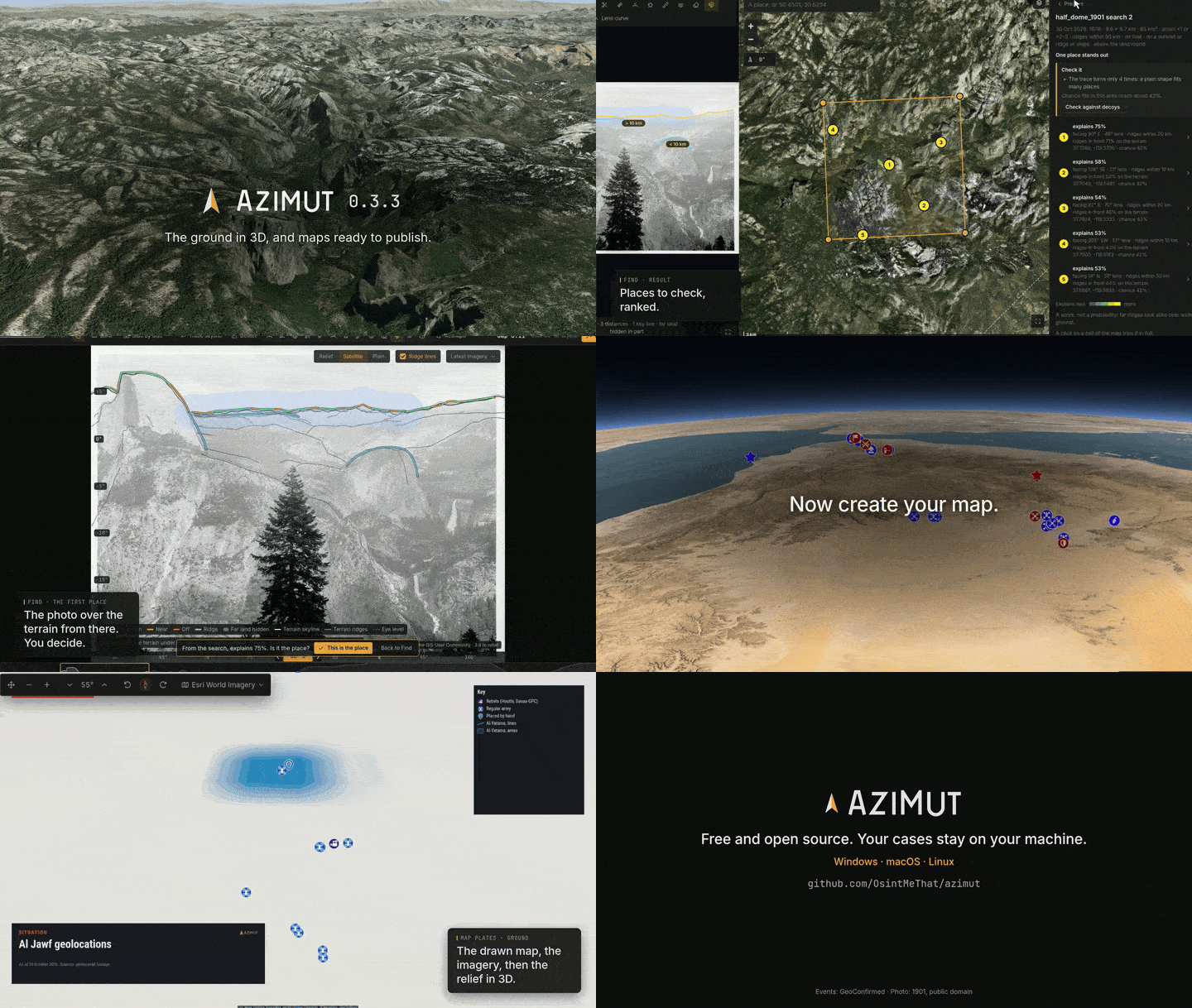
azimutThe OSINT investigator's workbench. One case, one folder, every tool. Local-first: your media and your investigations never leave your machine.