

🇬🇧 English · 🇩🇪 Deutsch · 🇪🇸 Español · 🇫🇷 Français · 🇮🇹 Italiano · 🇳🇱 Nederlands · 🇵🇱 Polski · 🇧🇷 Português (Brasil) · 🇷🇺 Русский · 🇺🇦 Українська · 🇹🇷 Türkçe · 🇦🇿 Azərbaycanca · 🇭🇷 Hrvatski · 🇮🇩 Bahasa Indonesia · 🇻🇳 Tiếng Việt · 🇹🇭 ไทย · 🇯🇵 日本語 · 🇰🇷 한국어 · 🇨🇳 简体中文 · 🇹🇼 繁體中文 · 🇸🇦 العربية · 🇮🇱 עברית · 🇮🇷 فارسی · 🇮🇳 हिन्दी · 🇵🇰 اردو · 🇧🇩 বাংলা
 Proxyon Pay-as-you-go proxies for developers Use code JUB0T for 20% off
|
Contact to advertise Put your product in front of the people who edit with Concat. jub0trd@gmail.com |
Concat is a free, open-source video editor for macOS, Windows, Linux, Android and iOS. It covers what most edits need: auto-captions, voice isolation, text-to-speech, background removal, animations and keyframes, effects and titles, multi-track cutting, 4K export. With none of the catches: no watermark, no account, no subscription, no upload.
Everything runs on your machine. Install it, drop in footage, cut. The AI models for captions, voices and cutout download once from Settings and work offline after that. Your footage never leaves your disk.
Good for: TikTok, Reels and Shorts, YouTube videos, tutorials and screen recordings, podcast clips, memes.
Also for machines: a built-in MCP server for AI agents (concat --mcp, set up) and a JSON-RPC API for scripts, so they can cut video with it too.
- 🚫 No watermarks. No account. No paywall. Ever.
- 🔒 100% local. Nothing uploads, the AI included. Works offline.
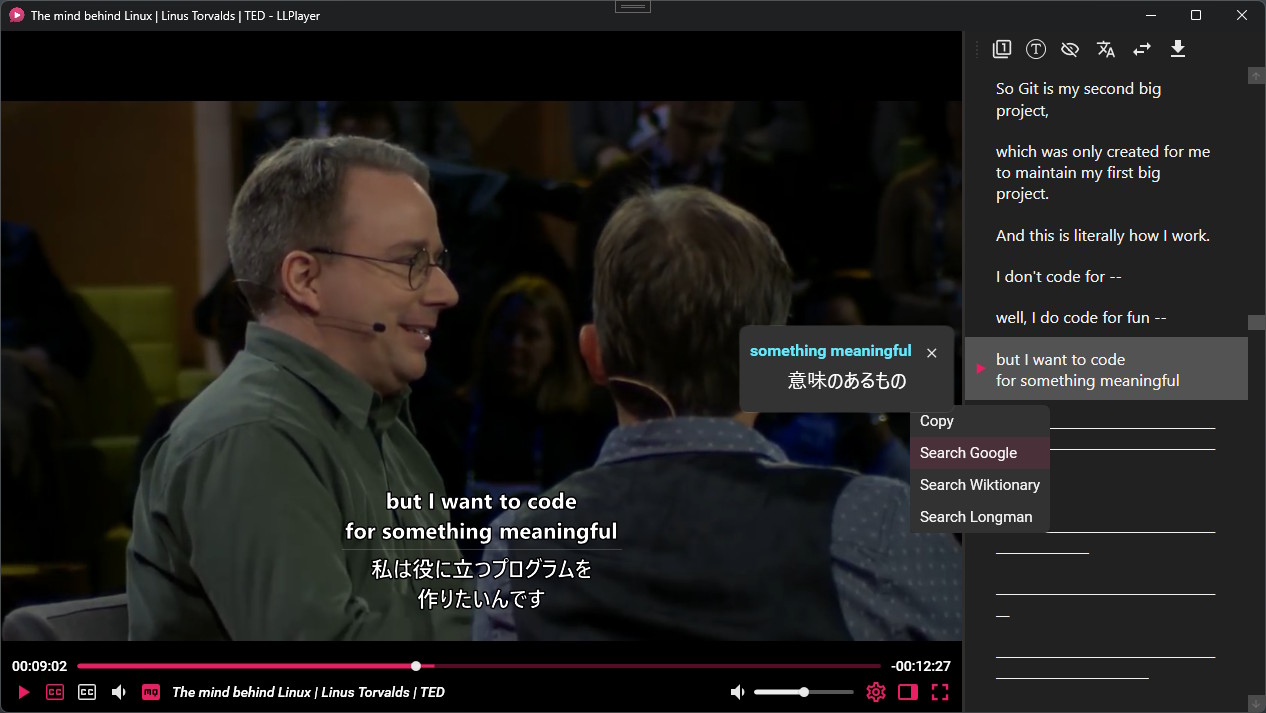
- 💬 Auto-captions. In the language you speak, made on your machine, styled and on the timeline.
- 🎤 Voice isolation. Pull a voice out of its music or its noise, or take it out, each part at its own level.
- 🗣️ Text-to-speech + voice cloning. A free local voice, or any voice from a few seconds of a recording. On the desktop.
- 🧍 Background removal, chroma key and masks. People and objects cut out for you, a green screen that keys itself, and a stack of masks on every clip, each with its own mode and keyframes.
- 🌀 In, Out and Loop animations. For clips, pictures, titles and shapes. Every one plays on its card before you pick it.
- ✨ 100+ effects, filters and transitions, 25 sound effects. Cinematic looks, shakes and impacts, retro, wipes, all live in the preview. A transition is a clip you move and trim like any other.
- 🎞️ Keyframes. Position, scale, size, rotation, opacity, volume, effect parameters. Curve editor built in.
- 🏃 Speed ramps and curves. Constant or drawn, smooth or straight. Freeze frames and reverse.
- 🪄 Enhance and Stabilize. Restore soft or old footage, up to 2K. Steady a shaky shot.
- ✂️ Cut fast, cut exact. Split, trim, ripple, merge, linked captions and overlays, a magnetic timeline if you want it. Every cut lands on the frame, the same in the preview and the export.
- 🎚️ Multi-track, multi-timeline. Stack video, stills, titles and shapes on as many tracks as you like. Several cuts in one project. Blend modes, crop, flips.
- 📝 Titles and shapes. Fonts, stroke, shadow, plates, colour emoji, and presets for Arabic, Chinese, Hindi, Thai and eight more languages. Shapes with gradients, stars, outlines and shadows.
- 🎙️ Voiceover and one-switch voice cleanup. Record over your cut. Denoise, enhance voice, level the loudness. Plus chipmunk, robot, telephone and friends.
- 📤 Export. H.264, HEVC, AV1, on your computer's own encoder. Up to 4K 60, 10-bit colour.
- ⚡ Fast. Proxies built in, so 4K scrubs smoothly. Titles paint on every core, and every effect is ready the moment the window opens.
- 🛟 Keeps going on any machine. When the graphics chip gives up, the preview keeps drawing.
- 🤖 Scriptable. An MCP server built in, so Claude and other AI agents can edit with it (one line to set up), and a JSON-RPC API for scripts. A build from source adds gRPC and a command-line tool.
- 🖥️ macOS, Windows, Linux, Android, iOS. 26 languages. Same app, same project files.
Two ways in:
- The website hands you the right build for your machine. Start here.
- GitHub Releases has every build for every platform, with installers, packages and checksums. For when you want to pick.
Concat is in beta: it works, and it still has edges. Say so when you find one.
Platforms
- ✅ Windows · x86_64 (ARM builds are paused, see #326). A setup and an
.msi. If SmartScreen stops an unsigned build: More info › Run anyway - ✅ macOS · Intel and Apple silicon. If macOS refuses to open an unsigned build:
xattr -dr com.apple.quarantine /Applications/Concat.app - ✅ Linux · x86_64 and ARM.
.deb,.rpm,.AppImageand an Arch package. Also a Flatpak on Flatpark, a community Flatpak remote that wraps the x86_64.debof each release and updates with it - ✅ Android · phones and tablets
- ✅ iOS / iPadOS · iPhone and iPad, sideloaded
✅ Supported · 🚧 Work in progress · 🧪 To be tested
System requirements and the optional model sizes are on the website.
Code signing policy: why the Windows builds are not signed yet, and what Concat sends over the network (nothing you did not ask for).
You need Rust 1.93 or newer (see rust-version in src/Cargo.toml), the FFmpeg 7+ development libraries, cmake and a C++ compiler.
- macOS:
brew install ffmpeg - Windows: from FFmpeg's Windows downloads, take BtbN's
win64-gpl-sharedbuild (the one CI uses), unpack it and pointFFMPEG_DIRat it - Linux: use your distro's FFmpeg if it is version 7 or newer, otherwise use a BtbN
sharedbuild withFFMPEG_DIRlike on Windows
Then:
cd src
cargo run -p concat          # the editor window
Other useful commands:
cargo build --profile app -p concat   # the shipping binary (fat LTO, stripped)
cargo test                            # run the test suite
cargo fmt --check && cargo clippy --all-targets -- -D warnings   # what CI checks
If you change text the interface shows, run python3 scripts/locales.py from the repo root so the string inventory stays in sync. Full details live in CONTRIBUTING.md.
Important
The best way to contribute is to grab a build from the Releases page and use it: find where it breaks, and say where it could be better.
Ready to write code? CONTRIBUTING.md covers setup, the layout of the tree, the checks to run, and how contributions are licensed. Driving Concat from a script, a service or an agent? The developer docs cover the Concat API and its transports: JSON-RPC and gRPC; docs/MCP.md connects an AI agent over MCP. This Discussion is where the project was announced.
Contributors can claim a @Contributor role in the Discord server: just ask.
- Concat is free software under AGPL-3.0-or-later.
- A commercial licence is available for closed-source use; see LICENSING.md.
If you believe something in this repository, its releases, or a package or model it distributes infringes your copyright, email jub0trd@gmail.com with a description of the work you own, a link to where the infringing material appears here, your contact details, a statement that you believe in good faith the use is not authorised by you, your agent, or the law, and a statement, under penalty of perjury, that the notice is accurate and that you are the owner or authorised to act for the owner, signed with your physical or electronic signature; valid notices are acted on promptly, and anyone whose material is removed may send a counter-notice to the same address.